
In 2020, the world underwent a forced experiment in remote work. We all learned to “Zoom,” we perfected our ring lighting, and we realized that business could continue without the commute. We mastered the Virtual Meeting.
Now, we are in a more complex phase: The Return to Office (RTO). As companies mandate two or three days in the office, we have entered the era of the Hybrid Meeting.
While the terms are often used interchangeably, virtual and hybrid meetings are fundamentally different from beasts. Treating a hybrid meeting like a standard virtual call is a recipe for disaster. It leads to proximity bias, employee disengagement, and a “two-tier” workforce where remote employees feel like second-class citizens.
According to the Microsoft Work Trend Index, 80% of employees say they are just as productive or more productive since moving to remote or hybrid work. However, 43% of leaders say their biggest challenge is relationship building in this new environment.
To bridge this gap, leaders must understand the mechanics of both meeting types. This guide breaks down the differences, the data, and the best use cases for each.
Defining the Terms
Before diving into strategy, we must define the landscape.
- Virtual Meetings: Every single participant is remote. Everyone joins via their own device, occupies their own “tile” on the screen, and uses their own microphone. The playing field is perfectly level.
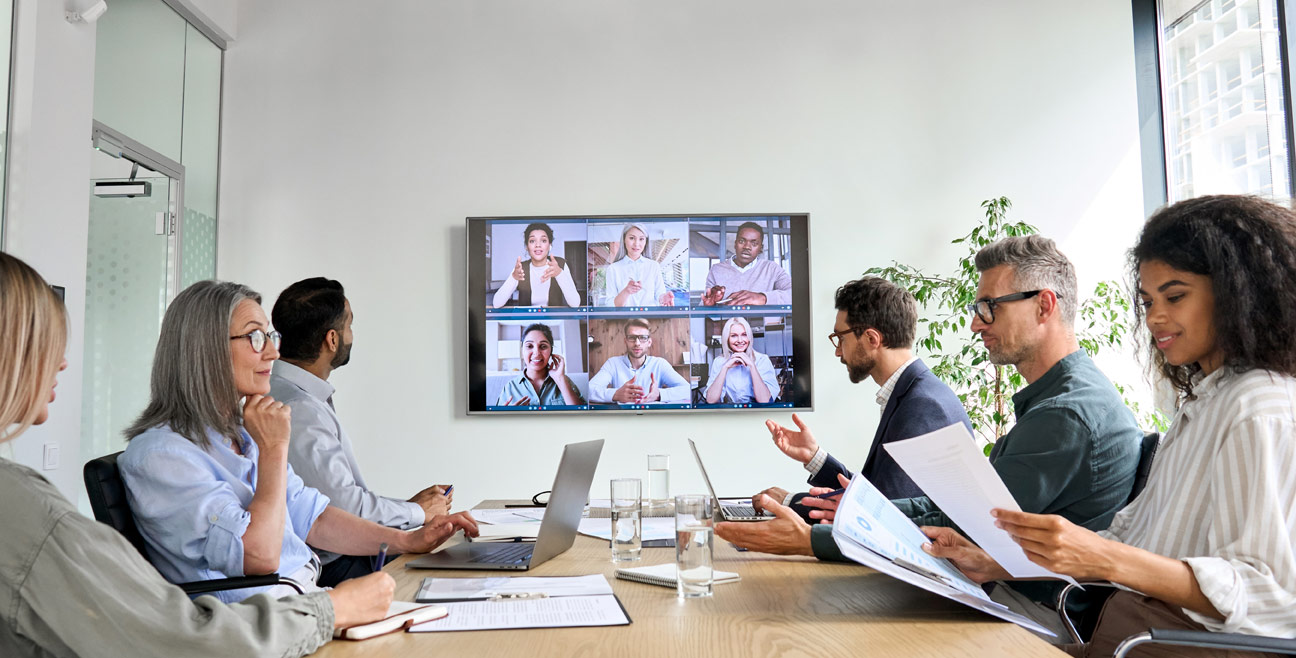
- Hybrid Meetings: A mix of in-person and remote participants. Usually, a group of people is gathered in a physical conference room, while others dial remotely. The physical group often shares one camera and one microphone.
According to Gartner, by 2024, only 25% of enterprise meetings will be in person, down from 60% prior to the pandemic. The majority will be hybrid. The danger lies in the fact that hybrid meetings are significantly more difficult to manage than fully remote ones.
The Core Difference: The “Presence Disparity”
The most significant difference between the two formats is the equity of presence.
In a virtual meeting, everyone is floating head on a screen. If the internet lags, it lags for everyone. If someone talks over someone else, the software usually highlights the speaker.
In a hybrid meeting, the dynamics shift. The people in the conference room have “high-bandwidth” communication; they can read body language, make eye contact, and whisper side comments. The remote participants have “low-bandwidth” communication. They often struggle to hear side conversations, can’t see who is looking at whom, and find it difficult to interject without being awkward.
The Data on Proximity Bias:
This disparity creates “Proximity Bias” as the unconscious tendency for leaders to favor those physically close to them. A study by HubSpot found that 49% of remote workers identify “staying motivated” as a challenge, often due to feeling disconnected. More alarmingly, a survey by Society for Human Resource Management (SHRM) found that 67% of supervisors admitted to considering remote workers more easily replaceable than onsite workers.
If you run a hybrid meeting without accounting for this bias, you are actively damaging your company’s culture.
When to Use Virtual Meetings (And Why)
Surprisingly, even if half your team is in the office, there are times when you should ask everyone to return to their desks and log in separately. The “One Person, One Screen” rule is the great equalizer.
Best Use Case 1: Complex Decision Making
When a controversial or complex decision needs to be made, you need a level playing field. If four people are in a room and three are remote, the four in the room will naturally dominate the debate. They will feed off each other’s energy, while remote participants will hesitate to interrupt.
The Strategy:
For critical strategic votes or sensitive HR discussions, make the meeting fully virtual. This ensures everyone’s facial expressions are equally visible, and the “raise hand” feature democratizes the floor.
Best Use Case 2: Deep Focus Collaboration
If the meeting involves editing a document live, reviewing code, or analyzing a complex spreadsheet, virtual is superior.
According to Steelcase research on engagement, remote participants in hybrid setups often suffer from “cognitive overload” trying to decipher the room’s audio while looking at shared content.
In a fully virtual setting, the shared screen is the primary focus for everyone. No one is squinting at a projector screen at the end of a conference table.
When to Use Hybrid Meetings (And why)
Hybrid meetings are essential for maintaining human connection in a distributed world. You cannot force remote employees to fly in for every meeting, nor should you force in-office employees to sit alone in phone booths all day.
Best Use Case 1: Town Halls and All-Hands
This is a classic hybrid scenario. Leadership is present from a stage or a main office, and the rest of the company dials in.
The Strategy:
To make this work, the production value must be high. You cannot rely on a single laptop webcam. You need dedicated microphones for the speakers, and a moderator specifically assigned to watch the chat for remote questions.
Best Use Case 2: Creative Brainstorming
There is a kinetic energy in physical brainstorming that is hard to replicate virtually. Writing on a physical whiteboard and moving sticky notes creates a flow of state.
The Challenge: The remote participants often feel like they are watching a TV show rather than participating.
The Fix: Use digital whiteboards (like Miro or Mural) that are projected onto a massive screen in the room. This way, when a remote employee adds a sticky note, it appears “in the room” instantly.
The Technology Gap: Solving the “Context” Problem
One of the biggest failures in both virtual and hybrid meetings is the loss of context. We have all been in a meeting where a decision was made, but the “why” and the supporting documents are scattered across three different apps.
In a hybrid environment, this is exacerbated. The in-person team might sketch a diagram on a napkin or have a “watercooler” chat after the meeting ends, leaving the remote team completely out of the loop regarding the next steps.
Integrating Smarter Communication Tools
To fix this, companies need to look beyond just video conferencing software and look at how they manage the conversation surrounding the meeting. This is where tools like Clariti (an AI-powered hybrid conversation business chat app) become vital.
It helps bridge the gap between the rigid structure of a meeting and the fluid nature of chat. In a hybrid setup, you can create a “Hybrid Conversation” in Clariti for the meeting. Inside that context-based workspace, you can house the agenda (email), the pre-meeting chatter (chat), the recording of the meeting, and the post-meeting action items.
By using that, the “side conversations” that usually happen in the physical room can be moved into a digital thread that is visible to the remote workers. It ensures that the context isn’t lost the moment the Zoom link closes.
Best Practices for Running Effective Hybrid Meetings
If you must run a hybrid meeting, you need new rules of engagement. Harvard Business Review suggests that leading a hybrid meeting requires a “facilitator” mindset rather than just a “boss” mindset.
1. The “Remote-First” Speaking Rule
Always ask remote participants for their input before asking those in the room. Once the conversation starts flowing in the physical room, it becomes a freight train that is hard to stop. By prioritizing remote voices, you signal that their presence is valued.
2. Invest in “Smart” Hardware
The days of the “bowling alley” view, where remote people see a long table of tiny heads, are over.
Owl Labs’ State of Hybrid Work report says 38% of workers say that improved video technology would make them more likely to go into the office.
Invest in 360-degree cameras (like the Meeting Owl) that automatically zoom in on the person speaking in the room. This allows remote participants to read facial expressions, which constitute 55% of human communication according to the famous Mehrabian rule.
3. Eliminate the “Meeting After the Meeting.”
The most dangerous part of a hybrid meeting happens when the camera turns off. The people in the room stand up, stretch, and say, “So, what did you really think?”
This excludes remote workers from the true consensus. Make it a policy: If business is discussed after the call ends, it must be posted immediately in the public channel.
Reducing Meeting Fatigue with Asynchronous Work
Perhaps the best way to fix hybrid meetings is to have fewer of them.
A study by Asana (The Anatomy of Work Index) found that knowledge workers spend 60% of their time on “work about work” meetings, status updates, and hunting for information—rather than skilled work.
Many hybrid meetings are simply status updates disguised as gatherings. These are inefficient because they require everyone to be synchronous, regardless of time zone.
The Shift to Asynchronous Hybrid Conversations
Before scheduling a hybrid meeting, ask: “Can this be an email? Or better yet, a threaded conversation?”
This is the second area where Clariti shines. Instead of forcing a 30-minute hybrid meeting where everyone essentially reads their to-do list, you can start a hybrid conversation. Team members can post their updates via email or chat within that topic at their own pace. The manager can review the full context—documents, previous discussions, and updates—in one view. This allows the actual meeting time to be reserved for high-value problem solving, rather than low-value information sharing.
Conclusion: The Future is Intentional
The era of accidental culture is over. In 2019, you could rely on proximity to build culture. If someone was struggling, you noticed. If a meeting went off the rails, you grabbed lunch afterward to smooth it over.
In the hybrid world, you cannot rely on accidents. You must be intentional.
- Virtual meetings are for equity, complex decisions, and deep focus.
- Hybrid meetings are for connection, morale, and broad dissemination of information, but only if managed with strict discipline regarding remote inclusion.
The companies that win in the next decade will not be the ones that force everyone back to 2019. They will be the ones who master the specific operational differences between these two modes of work.
By understanding the data on proximity bias, investing in the right hardware, and utilizing context-aware software to keep the conversation unified, you can turn the “hybrid headache” into a strategic advantage. The goal is not just to connect wires and screens, but to connect minds regardless of where they sit.